Validating App Store Subscriptions Before You Hit Submit
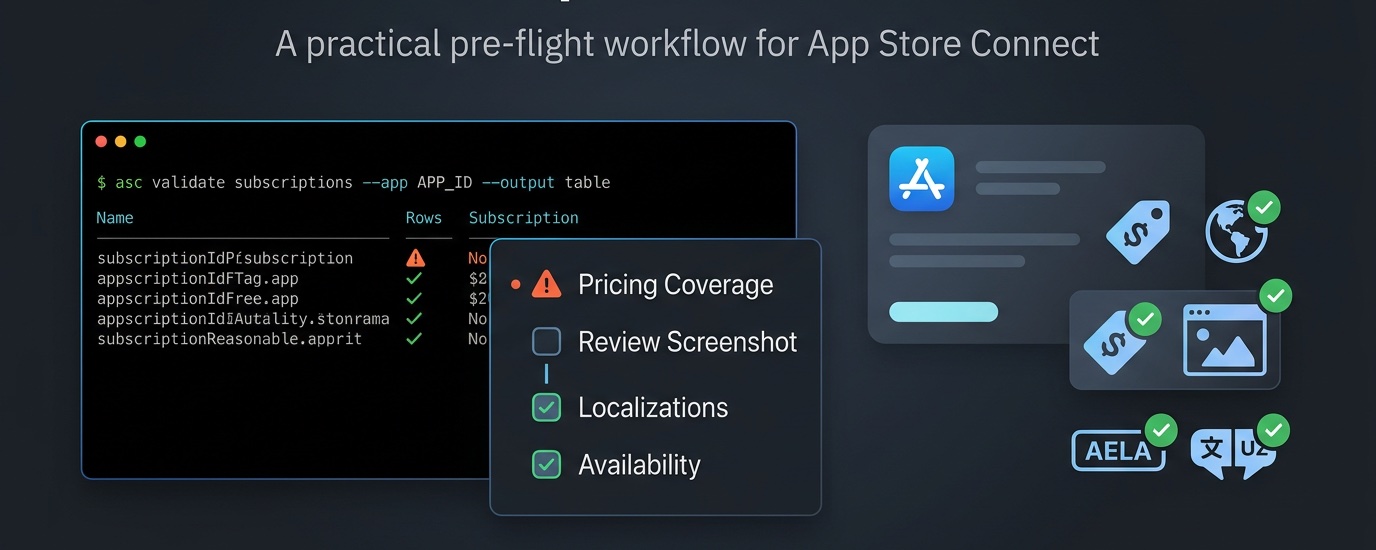
Setting up subscriptions is one of those App Store Connect tasks that looks done much earlier than it really is. You create the product, pick a price, upload a screenshot, maybe even see it in the dashboard, and move on to the release.
Then Apple comes back with a vague MISSING_METADATA state or the app review gets rejected because you forgot to attach the subscription with the build.
If this sounds familiar, I added a command in my asccli.sh for the exact purpose. I wanted a pre-flight check for that moment before I hit submit.
This command turns Apple's subscription warnings into something that you and your agent in terminal can work upon together: group localizations, subscription localizations, price coverage, availability, App Review screenshots, and the promotional image guidance.
Starting With a New Subscription
The usual flow starts with creating the subscription and as much metadata as possible in one go:
asc subscriptions setup \
  --app "APP_ID" \
  --group-reference-name "Pro" \
  --reference-name "Pro Monthly" \
  --product-id "com.example.pro.monthly" \
  --subscription-period ONE_MONTH \
  --locale "en-US" \
  --display-name "Pro Monthly" \
  --description "Unlock everything" \
  --price "3.99" \
  --price-territory "USA" \
  --territories "USA"
This gets you much closer to a usable starting point than clicking around App Store Connect manually. But "created" is not the same thing as "review-ready", which is where the validation pass helps with.
Running the Pre-Flight Check
Most of the fixes are boring, which is good. Boring means scriptable. If the group or subscription localization is missing, I use:
asc subscriptions groups localizations create \
  --group-id "GROUP_ID" \
  --locale "en-US" \
  --name "Premium"

asc subscriptions localizations create \
  --subscription-id "SUB_ID" \
  --locale "en-US" \
  --name "Pro Monthly" \
  --description "Unlock everything"
If availability and pricing are out of sync, I make sure the territories are right and then equalize pricing from a base territory:
asc subscriptions pricing availability edit \
  --subscription-id "SUB_ID" \
  --territories "USA,CAN"

asc subscriptions pricing equalize \
  --subscription-id "SUB_ID" \
  --base-price "3.99" \
  --base-territory "USA" \
  --confirm
And if the review assets are missing, I upload them directly:
asc subscriptions review screenshots create \
  --subscription-id "SUB_ID" \
  --file "./review.png"

asc subscriptions images create \
  --subscription-id "SUB_ID" \
  --file "./promo.png"
The App Review screenshot is the important one for readiness. The promotional image is more nuanced. Apple presents it more like guidance for promotion, offer-code redemption pages, and win-back offers, but in real use I have found it worth clearing that warning early instead of discovering it later.
After each fix, I rerun the validator:
asc validate subscriptions --app "APP_ID" --output table
The Attachment Mistake
The problem is not always the subscription itself. It is not attaching the one to the release.
Strictly speaking, Apple is not attaching the subscription to the build. It is attaching it to the next app version review. But in practice, that is how a fine build ends up blocked by subscription issues. If the subscription is still missing metadata and you include it in the review, you pulled an avoidable problem into the release.
To inspect what is currently attached to the next version review, I use:
asc web review subscriptions list --app "APP_ID"
If the subscription is not clearly ready, I go back and run:
asc validate subscriptions --app "APP_ID" --output table
Only when the subscription is actually ready do I attach it:
asc web review subscriptions attach \
  --app "APP_ID" \
  --subscription-id "SUB_ID" \
  --confirm
And if I attached the wrong one, or attached it too early, I remove it before submitting:
asc web review subscriptions remove \
  --app "APP_ID" \
  --subscription-id "SUB_ID" \
  --confirm
One important note here: the asc web review subscriptions commands are experimental and use Apple's private web-session flow rather than the public App Store Connect API.
They are great for inspecting and fixing the review attachment state, but I still use asc validate subscriptions as the real source of truth before I pull a subscription into the release.
Using It in CI
If I want the pipeline to fail on warnings instead of reporting them, I run:
asc validate subscriptions --app "APP_ID" --strict
That gives me a clean non-zero exit when something is off, which is what I want before I create a submission or ask someone else on the team to press the button.
Why I Like This Flow
I created the first subscription back in 2020 for a client and getting burned ever since. I wanted a checkpoint between "I think this is configured" and "I can let Apple review it now." And this is what this command gives me.
Create the subscription. Validate it. Fix what is missing. Validate again. Only then attach it to the next app version review.
It saves a surprising amount of App Store Connect guesswork, and more importantly, it avoids the kind of rejection that feels unnecessary in hindsight because the build was never the real problem!
Happy shipping!